













Beginner Tip
Practice normal shots before relying on the Supershot. Learning the correct distance and positioning will help you score even when the special ability is unavailable.
 Basketball King
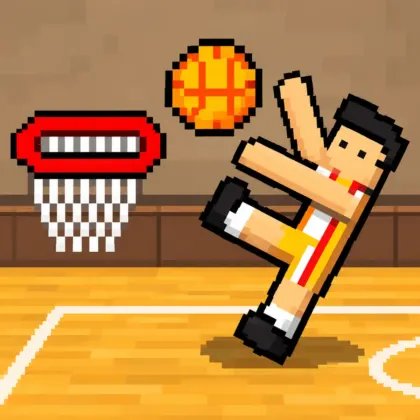
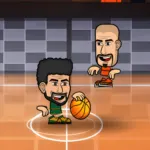
Step onto the court and compete for basketball supremacy in Basketball King, a fast-paced arcade sports game developed by Freezenova. Shoot baskets, steal possession, trick defenders with pump fakes, and unleash powerful Supershots before the match timer expires.
Play alone against computer-controlled opponents or invite a friend for a local 2-player basketball match on the same device. Depending on the selected mode, you can compete in quick 1v1 games, join 2v2 team battles, or enter a tournament and pursue the championship.
Simple controls make the opening match easy to understand, but winning consistently requires accurate timing and smart positioning. Use short dashes to escape defenders, block predictable shots, and save your Supershot for an opportunity where it cannot be interrupted.
You can play Basketball King online for free on Lalo.games using a desktop or compatible mobile browser. Choose your players, select a court, adjust the match duration, and score more points than the opposing team.
Basketball King is a 2D arcade basketball game developed by Freezenova. It combines quick matches with offensive moves, defensive actions, special shots, and shared-keyboard multiplayer.
The objective is straightforward: score more points than the opposing player or team before time runs out. You must alternate between offense and defense as possession changes throughout the match.
When attacking, you can dribble across the court, perform a pump fake, dash around a defender, and shoot toward the basket. When defending, the same action button can be used to steal the ball from a nearby opponent.
The exaggerated animations and character reactions give the game a humorous arcade style instead of attempting to recreate a realistic basketball simulation.
Start by selecting a solo or local multiplayer match. Choose the available game mode, team format, players, court, and match duration before entering the game.
Move toward the opposing basket while keeping possession of the ball. Use a pump fake to make the defender react, then move into a clearer shooting position.
Press the action button to shoot. Your player may perform a normal throw or a close-range dunk depending on their position relative to the hoop.
When the opponent controls the ball, approach carefully and use the same action button to attempt a steal. Avoid repeatedly pressing it from too far away because an unsuccessful attempt can leave your defender out of position.
Watch the match timer and scoreboard. The player or team with the most points when time expires wins.
Accurate shooting is essential in Basketball King gameplay. The distance from the basket, your character’s position, and the defender’s movement can influence whether a shot succeeds.
Move close to the hoop for safer scoring opportunities, but be prepared for blocks and steal attempts. Longer shots can be more difficult, although they may help you score without entering a crowded area.
Do not shoot immediately whenever you receive the ball. A predictable attempt gives the defender time to block or steal. Move around the court and wait until you create enough space.
When playing 2v2, positioning becomes more important. Use the additional player to occupy defenders and create a clearer route to the basket.
A pump fake makes your player imitate the beginning of a shot without releasing the ball. It is designed to trick the defender into blocking too early.
Once the opponent reacts, dash past them or wait for their defensive animation to finish before taking the real shot.
Pump fakes work best when used occasionally. Repeating the move constantly makes your strategy predictable and gives the opponent time to attempt a steal.
On defense, remain patient when the ball carrier stops near the basket. Wait until the ball is actually released before committing fully to a block.
The dash is a short burst of speed activated by quickly pressing a horizontal movement button twice.
Use it to:
For Player 1, the listed controls use a double press of D for a quick dash. Player 2 can double-tap the Left or Right Arrow to dash horizontally.
Do not dash without checking the court. Moving too far in the wrong direction can open a direct path to your own basket.
The Basketball King Supershot is a powerful special attack that can create an important scoring opportunity.
Player 1 activates it with V, while Player 2 uses K. The special move should be used when it is available and your character has enough space to complete the animation.
A Supershot can change the result of a close match, but poor timing may allow an opponent to interrupt the attempt or take advantage of your positioning.
Save the move for an important moment, such as breaking a tie, extending a narrow lead, or recovering when only a short amount of time remains.
The shoot button becomes a steal command when you are defending. Move close to the ball carrier and press the action button at the correct moment to attempt to take possession.
Position yourself between the opponent and your basket instead of chasing directly from behind. This limits their shooting angle and forces them to move around you.
Watch for pump fakes. Reacting too early can leave the basket open, while waiting too long may allow the opponent to complete an uncontested shot.
After winning possession, move away quickly. Remaining next to the former ball carrier gives them an immediate opportunity to steal it back.
Solo Mode places you against computer-controlled opponents. It is useful for learning movement, shooting, steals, pump fakes, dashes, and Supershot timing.
You can choose between different match formats and settings before playing. The available options may include 1v1 or 2v2 basketball, selectable players, courts, and match durations.
Use solo matches to practice defensive patience and discover which shooting positions produce the most consistent results.
The Basketball King 2-player mode allows two people to compete using the same keyboard or supported mobile interface.
Player 1 uses WASD with B and V, while Player 2 uses the Arrow Keys with L and K. The separate control layouts allow both participants to move and perform actions simultaneously.
Local multiplayer is ideal for quick head-to-head competition because no online matchmaking or account is required. Select the same match settings, then determine who can score the most before time expires.
A Quick Match starts a standalone basketball game using your selected players, court, team format, and time limit. It is the best choice for a short session or control practice.
Tournament Mode connects several matches into a larger competition. Winning allows you to continue through the bracket and move closer to the championship.
Tournament games can become more demanding as you progress, so learn the controls in Quick Match before beginning a longer run.
In 1v1 basketball, each player controls one character. Every decision matters because there is no teammate available to cover an open basket or recover a loose ball.
In 2v2 basketball, each side has an additional player. The court becomes more crowded, creating more opportunities for blocks, steals, passes, and unexpected rebounds.
Choose 1v1 if you prefer direct competition and greater individual control. Select 2v2 when you want faster possession changes and more chaotic team-based action.
Practice normal shots before relying on the Supershot. Learning the correct distance and positioning will help you score even when the special ability is unavailable.
Use a pump fake near the basket, wait for the defender to react, and then dash into open space before shooting.
Do not repeatedly attempt steals while standing too far from the ball carrier. Missing the action can leave your basket completely unprotected.
When leading near the end of the match, protect possession instead of forcing risky shots. Make the opponent chase you and only attack when a safe opportunity appears.
The most effective Basketball King strategy is to make your offensive movements less predictable. Alternate between regular shots, pump fakes, dashes, and Supershots so the defender cannot anticipate your next action.
On defense, focus on positioning before attempting a steal. Staying between the opponent and the hoop limits their options and allows you to respond to both shots and dashes.
Watch the timer closely. Your strategy should change during the final seconds: play patiently when leading, but attack quickly when you need another basket.
| Published on Lalo.games | August 2, 2026 |
|---|---|
| Last updated | August 2, 2026 |
| Developer | Freezenova |
| Publisher | Freezenova |
| Genre | Basketball, Sports, Arcade, 2-Player |
| Technology or engine | HTML5 |
| Platform | Web browser |
| Game mode | Single-player, local two-player, Quick Match, and Tournament |
| Supported devices | Desktop computers, laptops, Chromebooks, mobile phones, and tablets |
| Supported browsers | Google Chrome, Microsoft Edge, Mozilla Firefox, Safari, and other modern HTML5 browsers |
| Mobile support | Yes, through on-screen controls |
| Fullscreen support | Yes, on supported browsers |
| Language | English interface |
Basketball King is an arcade basketball game by Freezenova featuring solo play, local two-player matches, 1v1 and 2v2 formats, special shots, pump fakes, and tournament competition.
Yes. You can play Basketball King online for free through a supported web browser without installing a separate desktop application.
Yes. Basketball King local multiplayer allows two people to compete on the same device using separate keyboard controls.
The documented multiplayer option is local play on the same device. Real-time internet matchmaking is not officially listed.
Player 1 presses B to shoot. Player 2 presses L. The same buttons attempt a steal when defending.
Player 1 presses V, while Player 2 presses K. Activate it when the special move is available and your character has a clear scoring opportunity.
Player 1 presses S. Player 2 uses the Down Arrow. A successful fake can make the defender react before you take the real shot.
Player 1 quickly presses D twice. Player 2 double-taps the Left or Right Arrow to dash horizontally.
Available options include Quick Match, Tournament, single-player, local two-player, 1v1, and 2v2 basketball.
Yes. Compatible mobile and tablet versions provide on-screen controls for movement and basketball actions.
0 Comments