
Play free Geometry Games online. Jump through rhythm levels, avoid spikes, master wave challenges and enjoy Unblocked Geometry Dash-style browser games.
Play Free Geometry Games Online
Test your reactions, timing, and concentration with the Geometry Games collection on Lalo.games. These games combine automatic movement, geometric characters, colorful levels, energetic music, and carefully arranged obstacles.
Our collection of free Geometry Games online includes rhythm platformers, cube-jumping challenges, music-based obstacle courses, community levels, and games inspired by the wider Geometry Dash style.
The controls are often easy to understand. Your character may move forward automatically while you decide when to jump, fly, hold, or release. However, simple controls do not make the levels easy. Spikes, gaps, narrow platforms, speed changes, and unexpected transitions require precise inputs.
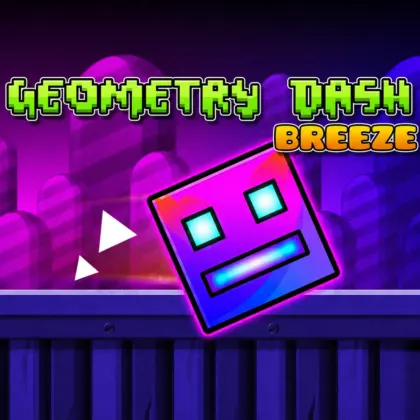
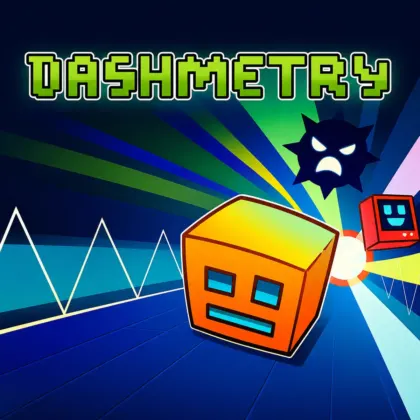
Geometry Dash Breeze and Dashmetry currently represent this category on Lalo.games. Both focus on rhythm, automatic movement, obstacle avoidance, repeated attempts, and increasingly difficult stages.
Geometry Dash-Style Rhythm Platformers
Geometry Dash-style games combine platforming with music and automatic forward movement. Instead of controlling every direction, players focus primarily on timing each action correctly.
Your geometric character continues moving through the level, leaving little time to hesitate. Pressing too early can cause you to land on a spike, while pressing too late may send the character directly into an obstacle.
The best rhythm platformer games connect obstacle placement with the soundtrack. Beats, melodies, and musical changes can provide clues about upcoming jumps and transitions.
However, players should not rely only on the music. Some hazards may appear between obvious beats, requiring visual concentration in addition to listening.
Jump Over Spikes and Avoid Obstacles
Spikes are among the most recognizable hazards in Geometry Dash games. Touching one usually ends the current attempt and returns the player to the beginning or a recent checkpoint.
Levels may also contain:
- Floor and ceiling spikes
- Gaps between platforms
- Moving obstacles
- Narrow landing areas
- Sudden drops
- Speed-changing sections
- Slopes and ramps
- Gravity changes
- Flying sequences
- Hidden or unexpected hazards
- Rapid combinations of several obstacles
Successful obstacle avoidance games require players to watch ahead of the character. Staring directly at the cube provides less time to identify the next hazard.
Focus slightly farther along the level so you can prepare for difficult jumps before reaching them.
Cube Jumping Games
Many cube games online use a geometric block as the main character. The cube moves automatically, rotates during jumps, and must reach the end of the course without touching dangerous objects.
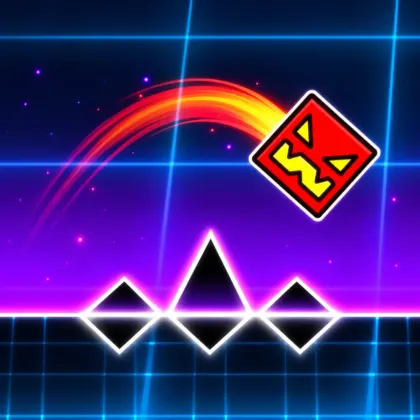
Geometry Dash Breeze follows this familiar structure. You guide an automatically moving cube through ten levels filled with spikes, gaps, platforms, colorful backgrounds, and increasingly difficult patterns.
The objective is not simply to jump whenever an obstacle appears. Players must also consider where the cube will land. An early jump may clear the first spike but place the cube directly onto another hazard.
The best cube jumping games reward consistent timing, pattern recognition, and the ability to remain calm during fast sequences.
Follow the Rhythm and Music
Music is an important part of many Geometry rhythm games. A level may be designed around the beat, with jumps, drops, speed changes, and visual transitions connected to the soundtrack.
Listening carefully can help you anticipate important actions. Strong beats may indicate a jump, while a change in the music may signal a faster section or new movement style.
Dashmetry places a strong emphasis on music-synchronized challenges. Its stages combine rhythmic soundtracks with spikes, gaps, slopes, platforms, and different difficulty levels.
These music platform games test both visual reactions and rhythmic awareness. Players must coordinate what they see with what they hear while maintaining concentration until the level ends.
One-Button Geometry Games
Many one-button games create challenging gameplay using only one primary action. A click, tap, or keyboard press may control jumping or another movement associated with the character’s current form.
The basic input can be understood quickly, making these games accessible to new players. The challenge comes from deciding exactly when to press, how long to hold, and when to release.
In Dashmetry, players can use the Spacebar, Up Arrow, or left mouse button to perform actions. The correct response depends on the level and the geometric icon’s current movement form.
Simple inputs allow the player to focus on rhythm, obstacle patterns, and timing rather than memorizing a large control system.
Geometry Wave Games
Geometry wave games introduce a movement style in which the character travels diagonally upward or downward according to the player’s input.
Wave sections can be especially difficult because small timing errors quickly change the character’s position. Narrow passages require short, controlled inputs instead of long presses.
To improve at Geometry Dash wave games:
- Use short inputs inside narrow spaces.
- Avoid holding the control longer than necessary.
- Watch the full path instead of focusing only on the icon.
- Practice the same difficult section repeatedly.
- Keep a steady rhythm during rapid direction changes.
- Remain calm when the passage becomes smaller.
Wave-style movement may not appear in every title or stage. Check the individual game and level to see which movement forms are available.
Difficult Geometry Challenges
Hard Geometry Games are known for demanding levels that require repeated attempts. Advanced stages may increase speed, reduce the distance between obstacles, introduce rapid transitions, or require several precise movements in sequence.
Dashmetry includes difficulty levels ranging from accessible beginner stages to demanding Demon challenges. Starting with easier levels allows players to understand the controls and develop consistent timing before attempting the hardest maps.
The difficulty can initially feel impossible, but every failed attempt provides information. You learn where the next spike appears, when the speed changes, and which jump caused the mistake.
This trial-and-error structure is an essential part of impossible platformer games. Progress comes from learning the level rather than depending entirely on immediate reactions.
Learn Levels Through Repeated Attempts
Failure is expected in Geometry Dash-style platformers. Crashing does not mean the attempt was wasted. Every run reveals more of the obstacle sequence.
When a hazard ends your run, remember:
- Which obstacle caused the crash
- Whether you jumped too early or too late
- Where the cube landed
- Whether the speed changed
- Which sound or beat occurred before the obstacle
- Whether holding or tapping would work better
- What action should be changed during the next attempt
Repeated practice turns unfamiliar stages into predictable patterns. Eventually, difficult sections can be completed through memory and consistent timing.
These trial-and-error games reward persistence because improvement becomes visible as you travel farther through the level.
Geometry Dash Breeze Levels
Geometry Dash Breeze is a colorful rhythm platformer where an automatically moving cube must jump over spikes, cross gaps, and survive obstacle courses.
The browser version available on Lalo.games includes ten levels and eight colorful backgrounds. Early stages introduce readable patterns, while later levels increase the speed and place hazards closer together.
Players can select different cube icons and colors before entering a level. Customization does not change the gameplay, but it allows players to personalize the geometric character.
Music provides useful timing clues, but careful observation remains necessary. Some jumps require visual preparation even when they do not align perfectly with an obvious beat.
Dashmetry Levels and Game Modes
Dashmetry expands the rhythm-platforming formula with curated stages, community maps, an Endless Mode, customization, and an Editor Lab.
Classic Mode contains designed levels with specific obstacle arrangements, music, and difficulty ratings. Players attempt to memorize each route and reach the end without crashing.
Dashmetry Endless Mode removes the fixed finish line and challenges players to survive for as long as possible. Maintaining concentration becomes increasingly difficult during a long run.
The game also includes online community-created levels. Featured and Trending sections help players discover maps with different music, visual themes, and obstacle patterns.
Race Mode is marked as coming soon and should not be described as currently playable until it becomes available.
Create Custom Geometry Levels
Some Geometry level editor games allow players to move beyond completing existing stages and begin creating original challenges.
The Dashmetry level editor, called Editor Lab, provides tools for positioning obstacles, working with slopes, adjusting music-related timing, and building stages around a selected soundtrack.
A strong custom level should remain readable even when it is difficult. Players need to distinguish dangerous objects from decoration and understand which path they are expected to follow.
When creating custom Geometry levels:
- Connect important jumps to recognizable beats.
- Avoid hiding necessary information behind decoration.
- Test every obstacle sequence.
- Increase difficulty gradually.
- Make sure platforms and hazards are clearly visible.
- Check that the level can be completed consistently.
- Use visual effects without obscuring the route.
- Replay difficult sections from a new player’s perspective.
Creating levels introduces a different type of challenge based on design, rhythm, testing, and creativity.
Explore Community Geometry Levels
Community Geometry levels provide new challenges beyond the stages created by the original developer. Players can experiment with different music, visual styles, obstacle combinations, and difficulty levels.
In Dashmetry, online levels can range from approachable practice maps to demanding challenges requiring precise memorization.
Check the difficulty before beginning a community-created stage. New players should begin with accessible maps before moving toward advanced or Demon-level content.
Community levels can provide additional variety because creators may develop unusual patterns or combine familiar mechanics in new ways.
Customize Geometric Icons
Customization allows players to change the appearance of their cube or geometric icon. Available options may include different shapes, colors, skins, and trails.
Geometry Dash Breeze includes cube icon and color customization inspired by the visual style associated with Geometry Dash games.
Dashmetry includes an Icon Kit with skins and trails. These visual options do not make levels easier, but they allow players to create a more personal appearance.
Customization is common in Geometry Dash games online because the character’s simple geometric design can support many colors and visual variations without changing the core movement.
Geometry Games for Different Skill Levels
The category can include:
- Easy Geometry Games that introduce basic jumping.
- Hard Geometry Games with narrow timing windows.
- Geometry Dash-style games featuring automatic movement.
- Rhythm games based on music and timing.
- Cube games featuring geometric characters.
- Wave games with diagonal movement.
- One-button games with accessible controls.
- Jumping games requiring precise inputs.
- Obstacle games filled with spikes and gaps.
- Platform games built around reaching the end of a stage.
- Endless Geometry Games focused on survival.
- Community level games with player-created content.
- Level editor games allowing custom stage creation.
- Skill games rewarding practice and concentration.
These gameplay styles frequently overlap. A single game may combine rhythm, platforming, automatic movement, customization, and level creation.
How to Improve at Geometry Games
Improving at Geometry Games online requires more than clicking quickly. Random inputs usually produce inconsistent results and make it harder to understand why a run failed.
Use these strategies:
- Choose one main control and practice with it consistently.
- Watch ahead of your character.
- Use the music as a timing guide.
- Avoid panic clicking during fast sections.
- Memorize difficult obstacle patterns.
- Practice one level before constantly switching stages.
- Learn whether a section requires tapping, holding, or releasing.
- Keep your focus during long sequences.
- Take a short break if repeated failures reduce your accuracy.
- Begin with easier levels before attempting advanced challenges.
In Geometry Dash skill games, consistent input is more valuable than uncontrolled speed. Learn the rhythm of the level and make deliberate movements.
How to Choose a Geometry Game
Choose Geometry Dash Breeze when you want colorful levels, cube customization, energetic music, and ten increasingly difficult obstacle courses.
Choose Dashmetry when you prefer multiple difficulty levels, Endless Mode, community-created stages, customization, and tools for designing original rhythm challenges.
Try a cube jumping game when you want straightforward platforming. Choose a wave game when you want to practice controlled diagonal movement.
Players interested in creativity may prefer Geometry level editor games, while players focused on mastery may choose difficult rhythm stages and Demon-level challenges.
Play Geometry Games Without Downloading
You can access Geometry Games without download through Lalo.games using compatible browsers. Select a title, review its controls and technical information, and begin playing without installing a separate desktop game.
Geometry Dash Breeze supports the browser controls and devices confirmed on its individual page. Mobile support for the current Dashmetry version has not been verified, so a desktop browser with a keyboard or mouse is recommended for that title.
Players searching for Geometry Dash unblocked or unblocked Geometry Games should remember that availability depends on the device, browser, network, and local access rules. Lalo.games does not bypass restrictions established by schools, workplaces, or network administrators.
Choose a level, listen to the music, and enjoy free online Geometry Games on lalo.games.
Recommended Geometry Games
Not sure where to start? These published games are currently part of this category:
Similar Categories
Action Games · Adventure Games · Arcade Games · Skill Games · Unblocked Games