














Choose One Main Control
Switching constantly between the mouse and keyboard can make your timing inconsistent. Select the Spacebar, Up Arrow, or mouse button and practice primarily with that input.
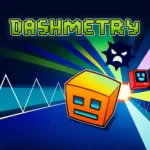 Dashmetry
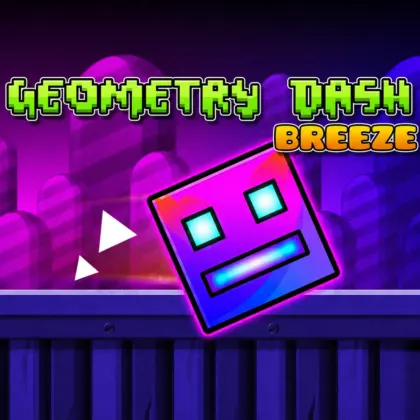
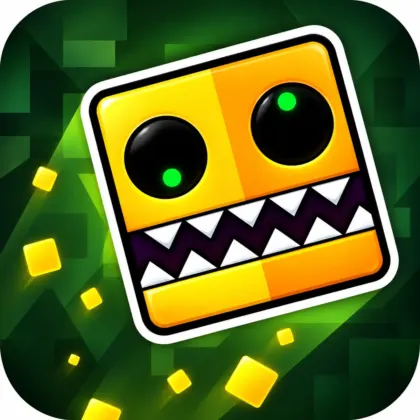
Dashmetry is a rhythm-based platform game where every jump must be timed against fast music, moving obstacles, and carefully designed level patterns. Control a geometric icon, avoid spikes and hazards, and maintain your concentration until you reach the end of each stage.
Beyond its main levels, the Dashmetry game includes community-created maps, customization options, different difficulty tiers, an Endless Mode, and an Editor Lab for building original rhythm challenges.
Dashmetry is an HTML5 rhythm platformer developed by 1Games.io. Its one-button gameplay is easy to understand: your icon moves forward automatically, and you control when it jumps or performs another form-specific action.
The challenge comes from coordinating each input with the level’s rhythm. Platforms, spikes, slopes, and other obstacles are arranged around musical patterns, making memorization and precise timing essential.
Dashmetry also has a community-driven side. Players can explore online levels, discover Featured and Trending creations, customize their icons, and use editing tools to build new stages synchronized with music.
Your icon moves through each stage automatically. You must react to approaching spikes, gaps, platforms, slopes, and other hazards without losing the flow of the level.
The soundtrack can provide timing clues, but you should also watch the obstacle patterns. Some jumps follow the beat directly, while others may be placed to test whether you are relying too heavily on the music.
Dashmetry uses recognizable difficulty tiers that allow players to choose challenges matching their current skill level. Easier stages introduce the movement and timing systems, while advanced maps demand faster reactions and more accurate inputs.
The available tiers range from beginner-friendly levels to demanding Demon difficulty challenges. New players should complete easier stages before attempting maps with rapid transitions and narrow timing windows.
Classic Mode contains curated stages with defined layouts, music, and difficulty ratings. The objective is to learn each obstacle sequence and complete the entire level without crashing.
Every failed attempt helps reveal more of the course. Memorizing difficult sections gradually turns an unfamiliar stage into a pattern you can anticipate.
Endless Mode focuses on survival and reflex endurance. Instead of reaching a fixed finish line, you attempt to continue for as long as possible while the challenge tests your consistency.
A strong Endless Mode run requires concentration. Even simple obstacles become dangerous after you have maintained the rhythm for an extended period.
Race Mode is marked as coming soon. It is intended to introduce competitive rhythm matches where players can test their timing against one another.
This mode should not be described as currently playable until it becomes available in the game.
The Online Levels area provides maps built by the Dashmetry community. Featured and Trending sections can help players find popular stages, creative visual designs, and new music-based challenges.
Community levels can vary considerably in complexity. Check the difficulty rating before starting a map, especially if you are still learning the controls.
The Dashmetry level editor provides tools for designing original stages. Creators can position obstacles, work with invisible objects, adjust BPM-related timing, and optimize interactions with slopes.
A good custom level should connect its gameplay to the selected music. Place major transitions and important jumps around recognizable beats so players can understand the intended rhythm.
The Icon Kit allows you to personalize your geometric character with different skins, visual designs, and trails. Customization does not replace practice or change the fundamental controls, but it gives your profile and gameplay a more personal appearance.
Dashmetry provides a large selection of music, including tracks associated with F-777. Supported account features may also allow users to upload music and synchronize it with custom-built levels.
Music availability and uploading requirements can depend on the current version and account system.
Switching constantly between the mouse and keyboard can make your timing inconsistent. Select the Spacebar, Up Arrow, or mouse button and practice primarily with that input.
Easy stages help you understand jump height, obstacle spacing, and how the game connects movement to music. Build consistency before attempting Demon difficulty.
Do not stare directly at your character. Focus slightly farther along the course so you have more time to identify spikes, gaps, and sudden transitions.
Listen for repeated beats and musical changes. Important jumps may align with the soundtrack, making the rhythm a useful timing reference.
A crash reveals where your timing or positioning was incorrect. Remember the obstacle and adjust your next input instead of restarting without a plan.
Random or repeated clicks usually create more mistakes. Use deliberate inputs based on the visible pattern and the selected track’s rhythm.
If one sequence repeatedly ends your run, focus on understanding that specific pattern. Identify when to press, how long to hold, and when to release.
When using the Editor Lab, make sure players can distinguish hazards from decoration. A difficult stage can still be fair when its visual information is clear.
Place important jumps, portals, and transitions around recognizable points in the music. This makes a custom level feel intentional rather than random.
Dashmetry was developed by 1Games.io as a rhythm-platforming experience built around community participation and creative tools.
Its structure goes beyond a collection of fixed stages. The Online Levels area, Icon Kit, music library, and Editor Lab allow players to move between playing, customizing, discovering, and creating content.
The one-button control system also demonstrates how mechanical simplicity can support demanding gameplay. The inputs are minimal, but level design, speed, rhythm, and obstacle placement create a high skill ceiling.c
| Published on Lalo.games | August 10, 2026 |
|---|---|
| Last updated | August 29, 2026 |
| Developer | 1Games.io |
| Genre | Rhythm, platformer, skill |
| Technology or engine | HTML5 |
| Platform | Web Browser Game |
| Game mode | Classic and Endless |
| Supported devices | All modern |
| Supported browsers | All modern browsers |
| Mobile support | Not verified |
| Fullscreen support | Yes |
| Language | English |
Dashmetry is a rhythm-based browser platformer developed by 1Games.io. You control a geometric icon, avoid obstacles, complete music-synchronized stages, and explore levels created by the community.
Your icon moves forward automatically. Press the Spacebar, Up Arrow, or left mouse button to jump or perform the current movement form’s action. Time each input to avoid obstacles and continue through the level.
Yes. The Dashmetry browser game can be played online through a supported desktop browser without installing a separate game application.
Use the Spacebar, Up Arrow, or left mouse button. These inputs control jumping and other actions associated with the icon’s current movement form.
Both games include increasingly difficult rhythm-platforming challenges. Dashmetry ranges from Easy to Demon difficulty, so its hardest stages require precise reactions, memorization, and consistent timing.
Yes. Dashmetry Endless Mode challenges you to survive for as long as possible instead of reaching the end of a fixed stage.
Yes. The Editor Lab includes tools for positioning objects, synchronizing gameplay with music, adjusting BPM-related timing, working with invisible objects, and designing slope interactions.
Yes. The Online Levels section contains maps created by players, including Featured and Trending levels.
Race Mode is listed as coming soon. It should not be considered an available mode until it is officially activated in the game.
Mobile support has not been verified for this version. The provided platform information describes it as a desktop browser game, so a keyboard or mouse is recommended.





0 Comments