















Watch Ahead of the Cube
Focus slightly in front of your character instead of staring directly at it. This gives you more time to recognize an approaching spike or gap.
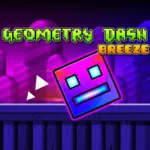 Geometry Dash Breeze
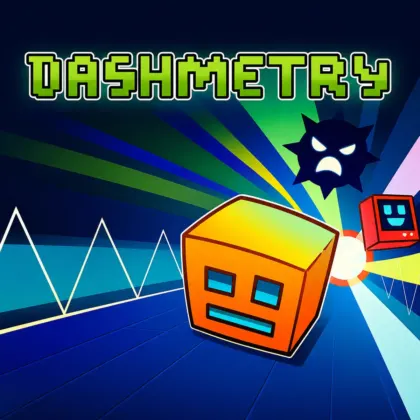
Geometry Breeze is a fast rhythm platformer where you guide a cube through obstacle courses filled with spikes, gaps, platforms, and sudden changes in speed. Your character moves automatically, leaving you responsible for timing every jump and avoiding anything that could end the run.
Also known as Geometry Dash Breeze unblocked, the game features 10 levels, eight colorful backgrounds, energetic music, and customizable icons inspired by Geometry Dash 2.11. You can play directly in a browser without installing a separate application.
Geometry Dash Breeze is an HTML5 geometry game built around automatic movement and precisely timed jumps. The objective is to reach the end of every level without touching spikes, falling into gaps, or crashing into other hazards.
The controls are simple, but the levels become more demanding as you progress. Faster sequences, closely positioned obstacles, and unexpected patterns require quick reactions and strong memorization.
Music is also an important part of the experience. Many jumps correspond with beats and changes in the soundtrack, allowing attentive players to use both visual and audio cues.
Your cube travels forward without requiring directional movement. You cannot stop or move backward, so every approaching hazard must be handled at the correct moment.
This design keeps the focus on timing. Press too early and you may land on a spike; press too late and the cube can collide with the obstacle directly.
The Geometry Breeze game unblocked contains 10 levels designed around different obstacle arrangements, music, and increasing difficulty.
Early levels introduce basic jumps and readable patterns. Later stages increase the speed, reduce the space between hazards, and combine several obstacles into longer sequences.
Completing all 10 levels requires more than fast reactions. You must remember dangerous sections and make consistent inputs during every attempt.
The game includes eight backgrounds with lively colors, geometric patterns, and visual effects. These environments help give each part of the experience a different atmosphere.
Backgrounds may change as you progress, but the obstacles should always remain your primary focus. Avoid letting bright effects distract you from the route ahead.
Each stage is supported by energetic rhythmic music. Beats and musical changes can help you anticipate important jumps, drops, and faster sections.
Do not rely only on the soundtrack, however. Watch the level carefully because some hazards may intentionally appear between obvious beats.
Spikes are the most recognizable threat, but gaps and platform edges are equally dangerous. You must calculate both when the cube leaves the ground and where it will land.
Longer jumps may require a different input than short obstacles. Study the distance between platforms before committing to the jump.
Crashing restarts the current attempt, but each failure gives you more information about the level. Remember where the obstacle appeared and adjust your timing during the next run.
This trial-and-error structure transforms unfamiliar stages into sequences you can eventually perform from memory.
The customization menu lets you select different cube icons and colors inspired by the Geometry Dash 2.11 visual style.
Character customization does not change the core jumping mechanics, but it allows you to personalize your cube before entering a level.
Focus slightly in front of your character instead of staring directly at it. This gives you more time to recognize an approaching spike or gap.
Many obstacle patterns follow the rhythm. Use strong beats and changes in the music as timing cues for important jumps.
An early jump can be just as dangerous as a late one. Consider where the cube will land, especially when several spikes are positioned close together.
When you crash, remember the exact obstacle that caused the mistake. On the next attempt, prepare for that section before it appears.
Repeatedly changing levels makes it harder to learn their patterns. Focus on one stage until you understand its speed, music, and obstacle placement.
Do not press twice unless the obstacle sequence requires the extra movement. An unnecessary second jump can send the cube toward a hazard.
Choose either the Spacebar or Up Arrow as your primary control. Consistent input helps develop reliable timing.
The eight backgrounds add visual variety, but the level route remains the priority. Concentrate on platforms and hazards during fast sections.
Rhythm games depend on concentration. If your timing becomes less accurate after several attempts, pause briefly and return with a fresh focus.
The supplied browser version attributes Geometry Dash Breeze unblocked to OuazGames and presents it as a browser-focused rhythm platformer inspired by the wider Geometry Dash style.
The design relies on a straightforward gameplay loop: automatic movement, simple inputs, immediate failure, and quick retries. This allows beginners to understand the objective immediately while still giving advanced players increasingly difficult patterns to master.
The combination of 10 stages and eight backgrounds adds progression without changing the central mechanics. Players improve primarily through pattern recognition, rhythmic timing, and repeated practice.
| Published on Lalo.games | August 10, 2026 |
|---|---|
| Last updated | August 10, 2026 |
| Developer | 1Games.io |
| Genre | Geometry, Rhythm, platformer, skill |
| Technology or engine | HTML5 |
| Platform | Web browser |
| Game mode | Single-player |
| Supported devices | Desktop, laptop, smartphone, and tablet |
| Supported browsers | All modern browsers |
| Mobile support | Yes |
| Fullscreen support | Yes |
| Language | English |
Geometry Breeze, also called Geometry Dash Breeze, is a rhythm platformer where an automatically moving cube must jump over spikes, cross gaps, and survive increasingly difficult obstacle courses.
The supplied browser version includes 10 levels. Each stage introduces different music, obstacle patterns, and increasing difficulty.
Yes. You can play Geometry Dash Breeze unblocked online through a supported web browser without installing a separate application.
Use the Spacebar for a standard jump, the Up Arrow for a higher jump, and press the Spacebar twice for a quick double jump. The mouse is used to navigate menus and customize icons.
Availability depends on your browser, device, and local network rules. Lalo.games cannot guarantee access through every school or workplace filtering system.
The supplied version supports smartphones and tablets through touchscreen controls. Tap the screen to jump and tap twice quickly when a double jump is required.
Open the customization area from the main menu. You can select different icons and colors inspired by the Geometry Dash 2.11 visual style.
Geometry Dash Breeze features eight backgrounds with colorful geometric patterns and effects that provide visual variety across the game’s levels.
No separate installation is required for the browser version. Start the game from its Lalo.games page and wait for it to load.
The supplied material presents Geometry Dash Breeze unblocked as a browser rhythm platformer inspired by Geometry Dash-style gameplay. It should not be described as an official RobTop Geometry Dash release without confirmed authorization.







0 Comments