















Beginner Tip
Keep your cursor close to the middle of the sky before a duck appears. This reduces the distance needed to react in either direction.
 Duck Hunt
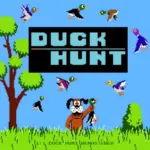
Duck Hunt is a retro-style arcade shooting game that challenges you to hit moving ducks before they escape. Track each target across the screen, aim with your cursor, and shoot quickly to build the highest score you can.
This browser edition is an HTML5 recreation developed by Matthew Surabian and inspired by Nintendo’s classic NES game. It replaces the original NES Zapper with modern mouse and touchscreen controls, allowing you to play Duck Hunt online without an old console, light gun, or CRT television.
The controls are simple, but consistent accuracy becomes harder as the targets move around the screen. Miss your opportunity and the famous hunting dog may appear to laugh at your performance.
Play Duck Hunt on Lalo.games, challenge your previous score, and then continue testing your precision in more shooting, skill, and classic arcade games.
Duck Hunt is an HTML5 arcade shooting game created by Matthew Surabian. It recreates the recognizable aiming, duck-shooting, pixel graphics, and hunting-dog humor associated with Nintendo’s original light-gun game.
The goal is to shoot moving ducks and earn as many points as possible. Targets remain visible for a limited time, making quick aim and good timing essential.
Unlike the NES release, the browser version does not require special hardware. Your cursor replaces the light gun, while the left mouse button fires at the selected point on the screen.
This version should not be described as an official Nintendo browser release. It is an independently developed HTML5 recreation inspired by the original game.
Watch the grass and sky for a duck to appear. Move the cursor over the target and press the left mouse button to shoot.
Try to aim along the duck’s flight path instead of repeatedly clicking at its current position. Moving targets can change direction before your shot lands.
Make each shot deliberate. Firing wildly reduces accuracy and can make it harder to follow the target’s movement.
Continue hitting ducks to increase your score and advance through the challenge. Targets may become more difficult to follow as the game progresses.
If you are playing on a touchscreen device, tap directly on the duck when the browser version displays and responds correctly. Mobile support is officially listed, although the exact touch interface can vary by device and browser.
Ducks are the primary targets. Their changing directions and limited time on screen create the game’s reflex-based challenge.
The dog flushes ducks from the grass and reacts to the player’s performance. He is especially famous for laughing when targets escape.
This HTML5 recreation warns players not to shoot the dog. That interaction belongs to this remake and should not be confused with the original NES release, where the dog could not normally be shot.
The mouse cursor acts as your aiming crosshair. Clicking fires at the selected location, replacing the NES Zapper used by the original console game.
The original Zapper detected changes in light and contrast on a CRT television. That technology does not work like a modern mouse, and an NES Zapper is not needed for this browser recreation.
The browser remake focuses on quick aiming, shooting moving ducks, and increasing your score. The challenge comes from tracking targets before they leave the visible play area.
Nintendo’s original NES game used structured rounds containing ten targets. Players received three shots for each target appearance and needed enough successful hits to advance.
The original also included three modes:
Those modes describe the original Nintendo version. They should not automatically be attributed to Matthew Surabian’s HTML5 recreation unless they appear in the current browser build.
Nintendo developed and published the original Duck Hunt for the Famicom and Nintendo Entertainment System. It launched in Japan in 1984 and later became one of the recognizable early NES games in North America.
The console release was designed around the NES Zapper. Players pointed the light gun toward a CRT television and fired at ducks or clay targets. Nintendo later re-released the game for Wii U Virtual Console with Wii Remote aiming.
Its lasting identity comes from three simple elements: instantly understandable aiming, targets that become harder to hit, and the dog’s memorable reaction to failure. Matthew Surabian’s remake adapts that formula for browser controls.
Follow the duck briefly before shooting. Understanding its direction makes a precise hit more likely than immediately firing.
Aim slightly ahead of a fast-moving target. This helps compensate for your reaction time when the duck crosses the screen quickly.
Keep the cursor near the center between target appearances. Starting from an extreme corner increases the distance you must move.
Prioritize accuracy over rapid clicking. One controlled shot is more useful than several poorly aimed attempts.
Use fullscreen mode when possible. A larger play area can make moving targets easier to identify and follow.
Avoid distractions around the cursor. Duck Hunt depends on visual tracking, so a clean screen and stable frame rate can improve your consistency.
Keep your cursor close to the middle of the sky before a duck appears. This reduces the distance needed to react in either direction.
Track the target’s direction for a fraction of a second and aim slightly ahead of it instead of clicking directly behind its movement.
Do not fire repeatedly in panic. Rapid misses make it harder to follow the duck and can waste a limited opportunity.
Focus on clean, consistent hits before trying to shoot faster. Reliable accuracy creates a stronger high-score run than unpredictable speed.
Duck Hunt remains memorable because failure is given personality. Missing a target does not merely reduce a score—the dog appears and reacts to you. That small piece of visual feedback turns a basic shooting challenge into a personal rivalry players remember long after the round ends. — Lalo.games Editorial Team
| Published on Lalo.games | July 21, 2026 |
|---|---|
| Last updated | July 21, 2026 |
| Developer | Nintendo R&D1 |
| Genre | Arcade, Shooting, Retro, Hunting |
| Technology or engine | HTML5 |
| Platform | Web browser |
| Game mode | Single-player |
| Supported devices | Desktop computers, mobile phones, and tablets |
| Supported browsers | Modern HTML5-compatible browsers |
| Mobile support | Yes |
| Fullscreen support | Yes |
| Language | English voice effects; minimal interface text |
Yes. You can play Matthew Surabian’s HTML5 Duck Hunt recreation directly in a compatible browser without installing a separate game.
No. This is an independently developed HTML5 recreation inspired by Nintendo’s original game. It is not an official Nintendo browser release.
No. The browser version uses a mouse or touchscreen instead of the NES Zapper.
Move your mouse cursor over a flying duck and press the left mouse button. On a supported touchscreen, tap the duck to shoot.
Yes. The HTML5 version is listed as supporting mobile phones and tablets. Performance and touch behavior may depend on the browser and embedded version.
The HTML5 browser recreation was developed by Matthew Surabian and inspired by Nintendo’s original game.
A missed duck may escape, preventing you from earning points. The hunting dog is known for appearing and laughing after unsuccessful attempts.
The original NES game did not normally allow players to shoot the dog. The HTML5 recreation tells players to avoid shooting him, so the behavior may differ from Nintendo’s original release.
Track each duck’s direction, aim slightly ahead of fast targets, keep your cursor near the center, and prioritize accurate shots over rapid clicking.
Duck Hunt runs in a web browser, but availability depends on your device and network rules. Lalo.games cannot bypass restrictions imposed by a school, workplace, administrator, or internet provider.






0 Comments