





















Beginner Tip
Enter Training Mode before purchasing an expensive weapon. Compare damage, recoil, magazine size, fire rate, and reload speed to find a gun that matches your playstyle.
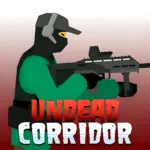 Undead Corridor
Fight for every meter of ground in Undead Corridor, a tense 2D zombie survival shooter set inside narrow hallways, abandoned hospitals, barricaded rooms, and ruined city streets. Limited space leaves little room to escape when the undead begin closing in.
Move carefully, aim for exposed weak points, manage your ammunition, and reload whenever the horde gives you a brief opening. Your health does not regenerate automatically, so every attack you receive can threaten the entire run.
Eliminating zombies earns money that can be spent on pistols, shotguns, rifles, and other weapons. Each firearm offers a different balance of damage, accuracy, magazine capacity, fire rate, and reload speed.
You can play Undead Corridor online on Lalo.games and test your survival strategy across several modes. Learn the controls in Training, defend a barricade, rescue survivors, or see how far you can progress before the undead overwhelm you.
Content notice: Undead Corridor contains firearms, zombies, blood, gore effects, and ragdoll violence. It may not be suitable for younger or sensitive players.
Undead Corridor is a single-player 2D zombie shooter originally credited to AZGames. It combines side-view shooting with limited health, ammunition management, weapon progression, and several survival scenarios.
You play as a lone survivor entering areas overrun by different types of zombies. Some enemies move slowly, while aggressive sprinters can close the distance before you finish reloading. Armored zombies require accurate shots against exposed body parts.
Unlike shooters where damage disappears after waiting, health generally does not regenerate during an attempt. Surviving therefore depends on keeping enemies at a safe distance and avoiding unnecessary damage.
The game includes multiple modes with different layouts, enemy rules, weapon-persistence systems, and objectives.
Choose an available game mode and prepare your weapons before beginning the run. Your objective changes depending on the mode, but the main combat system remains consistent.
Use A and D to move horizontally. Move the mouse to aim, then press the Left Mouse Button to fire at an approaching zombie.
Press R to reload during a safe opening. Use Q to switch between equipped weapons when your current gun is unsuitable or its magazine is running low.
If a zombie reaches close range, press Spacebar to kick it backward. The kick creates a small amount of distance, giving you time to move, reload, switch weapons, or finish the enemy.
Eliminate zombies, earn money, and purchase stronger weapons. Continue until you complete the current objective or lose all your health.
Accurate shooting is essential in Undead Corridor gameplay because zombies can react differently depending on where a bullet lands.
Headshots generally inflict more damage and can eliminate standard zombies with fewer bullets. This helps conserve ammunition during longer waves.
Armored zombies may protect their head or torso. Look for exposed areas instead of repeatedly shooting the armor and wasting an entire magazine.
Body shots are easier to land but usually require more ammunition. Leg shots can slow or destabilize certain enemies, creating time for a more accurate follow-up attack.
The Undead Corridor weapon system includes firearms suited to different ranges and situations.
Pistols
Reliable early weapons with manageable recoil and ammunition use. They work best when you consistently land headshots.
Submachine Guns
Offer a faster fire rate for handling aggressive enemies and crowded waves, but rapid shooting can empty the magazine quickly.
Shotguns
Powerful at close range and useful when several zombies are grouped inside a narrow corridor.
Assault Rifles
Provide a balance of damage, range, fire rate, and magazine capacity for longer survival attempts.
Sniper Rifles
Deliver high damage and accuracy but require careful timing because missed shots and slower firing can become dangerous against sprinters.
Earned currency can unlock additional firearms or improve combat performance. Upgrade choices may affect damage, accuracy, fire rate, magazine size, reload speed, or endurance depending on the available build.
Ammunition management is one of the most important parts of this zombie survival shooter.
Do not wait for the magazine to become empty if there is a safe opportunity to reload. A two-second pause between zombie groups may be the only opening you receive.
Avoid holding the fire button without aiming. Uncontrolled shots waste ammunition and may leave you defenseless when a faster enemy appears.
When one weapon runs low, press Q to switch instead of reloading in immediate danger. Return to the empty weapon after creating more distance.
Press Spacebar to kick a zombie that enters close range. This defensive move knocks nearby enemies backward and prevents them from attacking immediately.
The kick does not replace a firearm. It provides temporary breathing room rather than reliably eliminating stronger enemies.
Use it when:
Do not kick too early. Wait until the enemy enters its effective range so the move creates enough separation.
Your health is limited and does not automatically regenerate during most survival attempts. Every zombie attack permanently reduces your remaining HP for that run.
This makes positioning more important than chasing kills. Retreating temporarily is better than losing health to secure one additional elimination.
Some modes use one-life rules, while others allow retries or apply different penalties after death. Weapon persistence can also vary by mode.
When HP reaches zero, the attempt ends. Your score or progress may be recorded on the relevant leaderboard before you return to the mode menu.
The undead do not all behave in the same way. Understanding each type helps you choose the correct weapon and target.
Slow Walkers
Move steadily and are easier to control at range, but several can form a dangerous group.
Sprinters
Rush toward the player quickly and should usually receive immediate priority.
Tough Zombies
Require more damage and can survive several ordinary body shots.
Armored Zombies
Wear protection over certain body parts. Aim at exposed areas to avoid wasting ammunition.
Larger waves may combine several enemy types, forcing you to decide whether speed, armor, or proximity creates the greatest immediate threat.
Current browser listings show as many as eight modes. Some distributed builds may contain only the original six, while updated versions add Bridge and Rescue.
Move through a series of zombie-filled corridors. Reaching the door at the end may provide an opportunity to purchase weapons before continuing.
Noise and gunfire can attract additional enemies, so careless shooting may make the route more dangerous.
Fight through abandoned hospital corridors as enemy numbers increase. Purchased weapons may be lost after several failed attempts, making resource management especially important.
Protect a barricade from continuous zombie attacks. Repair or preserve the defensive position while preventing enemies from breaking through.
Clear compact rooms where enemies may appear close to the entrance. You generally have one life per attempt, health does not regenerate, and purchased weapons remain unlocked after death.
Fight through open city streets as the number of zombies continues to rise. The wider environment offers more movement space but introduces additional attack angles.
Practice with the complete weapon selection and learn how each gun handles. Use Training to compare recoil, damage, fire rate, reload time, and magazine capacity.
Progress as far as possible across a bridge while facing increasingly large waves. You have one life, but purchased weapons remain available after death in supported versions.
Protect and rescue doctors inside the hospital while fighting zombies. You must identify friendly characters carefully and avoid shooting them.
The expanded Bridge and Rescue modes are documented by a current Snokido listing. If your GameHub build displays only six modes, publish Corridor, Hospital, Defense, Rooms, Street, and Training as the available selection.
Zombie eliminations award money that can be used to purchase weapons and upgrades. Accurate headshots may provide better efficiency because they reduce ammunition costs and clear enemies faster.
Progression rules differ between modes. Some modes preserve purchased weapons after death, while others remove equipment after several failed attempts.
Spend early currency on reliable improvements rather than immediately purchasing the most expensive gun. Damage, magazine size, and reload speed can provide more consistent survival value.
Training Mode lets you test weapons before spending money in the main survival modes.
Supported versions of Undead Corridor online include separate leaderboards for different modes.
Scores may be tracked across:
Your result can depend on corridors cleared, zombies defeated, rescued characters, defended waves, or total survival progress.
Each mode uses different rules, so a strong Corridor strategy may not produce the same results in Defense or Rescue.
Enter Training Mode before purchasing an expensive weapon. Compare damage, recoil, magazine size, fire rate, and reload speed to find a gun that matches your playstyle.
Retreat while firing to guide several zombies into one narrow line. This creates easier headshot opportunities and makes shotguns or automatic weapons more effective.
Do not reload immediately after every shot. Reload only when there is a safe gap or sufficient distance, because the animation can leave you unable to defend yourself.
Prioritize sprinters first, then target exposed areas on armored zombies. Slow walkers can usually be controlled through movement while you eliminate the more urgent threats.
The central strategy in Undead Corridor is distance management. Your weapons only remain useful while there is enough space to aim, reload, switch guns, or kick an enemy backward.
Keep track of three things simultaneously: your current ammunition, the nearest zombie, and the available retreat path. If any one of these becomes unsafe, stop advancing and regain control of the corridor.
Choose upgrades that solve your most common cause of failure. Improve magazine capacity or reload speed if you frequently run out of ammunition, but prioritize damage if armored enemies consume too many bullets.
| Published on Lalo.games | August 4, 2026 |
|---|---|
| Last updated | August 29, 2026 |
| Developer | AZGames |
| Genre | Zombie, Shooting, Action, Survival Horror |
| Technology or engine | HTML5 / Unity WebGL browser build |
| Platform | Web browser |
| Game mode | Single-player |
| Supported devices | Desktop computers and laptops; mobile and tablet support depends on the distributed build |
| Supported browsers | Google Chrome, Microsoft Edge, Mozilla Firefox, Safari, and other WebGL-compatible browsers |
| Mobile support | Yes |
| Fullscreen support | Yes |
| Language | English interface |
Undead Corridor is a 2D zombie survival shooter where you fight through narrow corridors, manage limited health and ammunition, unlock weapons, and survive increasingly dangerous enemies.
Yes. You can play Undead Corridor online through a compatible web browser without installing a separate desktop application.
Current browser listings credit AZGames as the original developer. GameHub distributes the browser build used for this game page.
No. Health generally does not regenerate during a survival attempt, so every zombie attack reduces your remaining HP.
Press Spacebar when a zombie enters close range. The kick pushes nearby enemies backward and creates space to reload or switch weapons.
Press Q to switch between equipped weapons. Some mobile builds provide a weapon icon instead.
The original selection contains six modes: Corridor, Hospital, Defense, Rooms, Street, and Training. Updated listings also document Bridge and Rescue, bringing the available total to eight in supported builds.
There is no universal best weapon. Shotguns work well against grouped enemies, automatic weapons handle sprinters, and sniper rifles reward accurate long-range shots.
It depends on the mode. Rooms, Street, and Bridge can preserve purchased weapons, while Hospital may remove them after repeated deaths.
Some browser distributions support phones and tablets with on-screen controls. Compatibility depends on the particular build and device.










0 Comments