











Start From the Center
The center cell participates in more winning combinations than any corner or edge. Taking it early can create additional attacking and defensive opportunities.
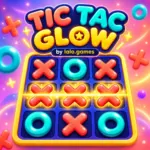 Tic Tac Glow
Tic Tac Glow is a colorful online Tic-Tac-Toe game developed and published by lalo.games. Play as X, challenge the computer-controlled O player, and attempt to complete a horizontal, vertical, or diagonal line before the AI does.
The game includes three difficulty settings: Easy, Smart, and Unbeatable. Easy mode chooses from the available cells randomly, while the more advanced modes use decision-making based on the current board.
Each match is played on the traditional 3×3 grid, but the presentation adds a modern casual-game style with animated pieces, glowing winning lines, floating background decorations, music, sound effects, score tracking, and confetti after a player victory.
Play Tic Tac Glow online on lalo.games and test your strategy against increasingly capable AI opponents.
Tic Tac Glow is a single-player browser strategy game based on the traditional rules of Tic-Tac-Toe. The player controls X, while the computer controls O.
Both sides take turns selecting one of the nine available cells. The first side to place three matching symbols in a valid line wins the round.
A winning line can be:
If all nine cells are occupied without either side completing a line, the round ends in a draw.
Tic Tac Glow includes separate counters for player victories, draws, and AI victories. These counters remain active while rounds are replayed from the same game session, allowing players to compete against the AI across multiple matches.
The player always uses the coral-colored X symbol and takes the first turn.
Select any empty cell to place an X. After the move is accepted, that cell becomes unavailable and the game checks whether the move created a winning line.
If the round is still active, control passes to the AI.
The AI uses the turquoise O symbol. After the player makes a valid move, the interface displays “AI IS THINKING…” and temporarily disables the board.
The AI waits approximately 0.48 seconds before placing its symbol. This short delay makes the computer’s move easier to follow than an instant response.
After the AI completes its move, the game checks for a win or draw before returning control to the player.
Tic Tac Glow includes three AI difficulty settings.
Easy mode selects randomly from the cells that remain available.
The AI does not calculate the strongest possible move, giving the player more opportunities to create a winning line.
This mode is suitable for beginners or players who want a relaxed match.
Smart mode combines calculated decisions with occasional random choices.
For most turns, it uses the same minimax evaluation as Unbeatable mode. However, it has a 28 percent chance of selecting a random available cell.
This creates a more natural opponent that can make strong moves without playing perfectly during every round.
Unbeatable mode always uses the minimax algorithm to evaluate the available moves.
The algorithm simulates future turns for both X and O. It gives positive values to positions where the AI can win, negative values to positions where the player can win, and a neutral value to draws.
It also considers the search depth, allowing the AI to prefer faster victories and delay unavoidable defeats.
Because Tic-Tac-Toe has only nine cells, the complete decision tree is small enough to evaluate during gameplay without requiring a large processing system.
The game checks eight possible winning combinations after every move:
When a valid line is detected, the board is disabled and a golden line appears across the three winning symbols.
The winning line changes its position, rotation, and length depending on whether the completed combination is horizontal, vertical, or diagonal.
After a round ends, the result screen allows the player to begin another match immediately.
Starting a new round:
Returning to the main menu and beginning a completely new match resets the player, draw, and AI counters to zero.
The scoreboard contains three separate values:
The counters update immediately after each completed round.
This allows players to create an informal challenge, such as trying to win more rounds than the AI before returning to the main menu.
The Restart button clears the current board and begins a fresh round.
Restarting stops active gameplay coroutines, hides the result panel, removes the winning line, clears every symbol, and gives the first move back to the player.
The session score remains unchanged when using Restart.
The Home button returns the player to the main menu.
Active coroutines are stopped, and the gameplay, result, and difficulty panels are hidden. The next time Play Against AI is selected, a new session begins with all score counters reset.
The center cell participates in more winning combinations than any corner or edge. Taking it early can create additional attacking and defensive opportunities.
Do not focus on only one row. Check all horizontal, vertical, and diagonal combinations before choosing your next cell.
If the AI already has two O symbols in one line, occupy the third cell before attempting a different strategy.
A fork occurs when one move creates two different winning opportunities. The AI can block only one of them on its next turn.
Try to position your X symbols so that more than one line becomes dangerous.
Corner cells participate in one row, one column, and one diagonal. They are generally more useful than edge cells when building multiple threats.
Easy mode chooses random available cells. Use it to understand winning patterns, blocking, and fork creation before moving to Smart mode.
Smart mode usually uses calculated minimax decisions but occasionally chooses a random move. Take advantage when it leaves an opening.
The Unbeatable AI evaluates future moves using minimax. If it plays correctly, forcing a draw is a successful result.
The game does not use a turn timer. Check the complete board before selecting a cell.
After an AI victory, review the final board and identify the first point where O created an unavoidable threat.
Tic Tac Glow was developed and published by Lalo Games as a lightweight strategy game designed for browser play.
The project uses a traditional Tic-Tac-Toe rule set but presents it through a colorful, casual interface. Coral X symbols, turquoise O symbols, cream-colored cards, lavender backgrounds, gold highlights, and navy accents create a consistent visual identity.
The complete interface is generated at runtime using Unity UI. This includes the background, menus, board, score display, difficulty screen, result screen, buttons, rounded cards, floating shapes, and winning line.
A small 64×64 texture is procedurally generated to create the rounded UI sprite. This sprite is reused across the interface for cards and buttons instead of requiring separate imported UI images.
The AI system was structured around three difficulty levels. Easy mode uses random cell selection, Smart mode combines random decisions with minimax, and Unbeatable mode always evaluates moves using minimax.
Audio is also generated through C# rather than imported as external sound files. The project creates placement sounds for X and O, a button sound, a victory chord, a round-ending chord, and a 12-second looping background theme.
The music begins after the player selects Play Against AI. This approach matches browser restrictions that may prevent audio from starting before the first user interaction.
| Published on Lalo.games | August 21, 2026 |
|---|---|
| Last updated | August 21, 2026 |
| Developer | lalo.games |
| Publisher | lalo.games |
| Genre | Strategy, Board, Puzzle, Casual |
| Technology or engine | Unity 6 and C# |
| Platform | Web browser |
| Game mode | Single-player against AI |
| Supported devices | Desktop and compatible touchscreen devices |
| Supported browsers | All Browsers |
| Mobile support | Yes |
| Fullscreen support | Yes |
| Language | English |
Tic Tac Glow is a colorful online Tic-Tac-Toe game where the player controls X and competes against a computer-controlled O opponent.
Tic Tac Glow was developed and published by Lalo Games as an original Unity WebGL game.
Yes. You can play Tic Tac Glow online through its game page on lalo.games.
Select an empty cell to place an X. The AI will then place an O. Complete three X symbols in a horizontal, vertical, or diagonal line before the AI does.
The game includes Easy, Smart, and Unbeatable difficulties.
Easy mode randomly selects one of the cells that remain available.
Smart mode normally uses minimax to calculate a strong move but has a 28 percent chance of choosing an available cell randomly.
Unbeatable mode always uses the minimax algorithm to evaluate future moves and select the strongest result available.
The player controls X and always makes the first move.
If all nine cells are occupied without a completed line, the round ends in a draw.
Yes. The scoreboard separately tracks player victories, draws, and AI victories during the current session.
Using Restart or Play Again keeps the current session counters. Returning home and starting a new match resets all counters.
Touch controls are included. Tap an empty board cell to place your X. Final compatibility should be verified on the intended browser and device.
Keyboard controls are not implemented for gameplay in the current version. Use the mouse on desktop or touch controls on compatible mobile devices.
Yes. The main menu includes a Sound button that enables or disables the background music and sound effects.
0 Comments